Introduction
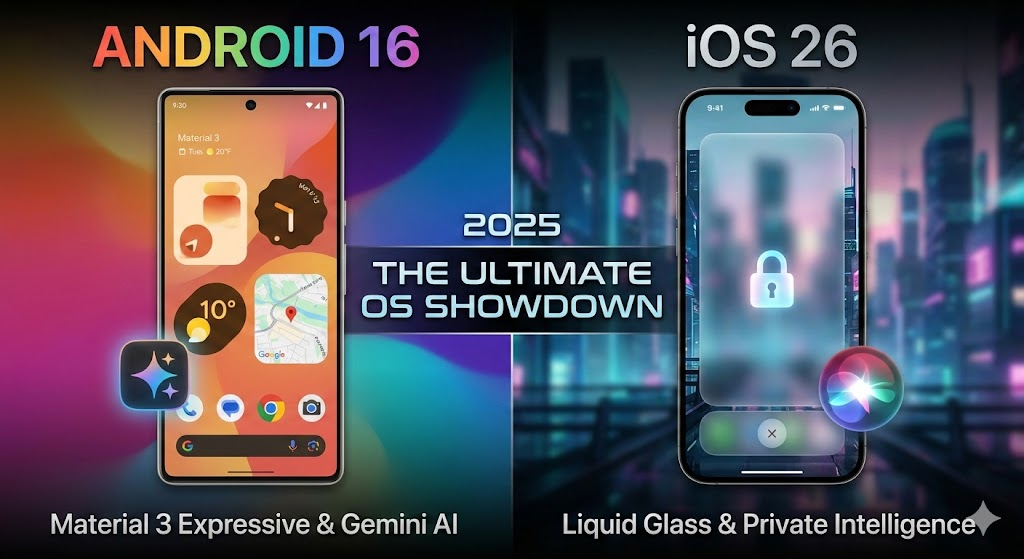
The battle of Android 16 vs iOS 26 has officially redefined the mobile landscape in late 2025. While 2024 was a year of iterative updates, 2025 has become a historical turning point. Google has accelerated its timeline with the early release of Android 16 (codenamed “Baklava”), while Apple shocked the industry by skipping six version numbers entirely to align with the coming year, debuting the radically redesigned iOS 26.
If you are currently deciding between a Pixel 10 Pro and the iPhone 17, you aren’t just choosing a brand; you are choosing between two fundamentally different visions of the future. This isn’t just a simple spec sheet comparison; it is a clash of philosophies. When analyzing Android 16 vs iOS 26, we see that Android 16 doubles down on utility, desktop-class productivity, and deep AI integration through Gemini. In contrast, iOS 26 introduces “Liquid Glass,” a visual overhaul that prioritizes fluidity, aesthetic beauty, and “Stealth” privacy.
In this comprehensive guide, we break down every major difference in the Android 16 vs iOS 26 rivalry to help you decide which operating system reigns supreme.
1. Android 16 vs iOS 26 Design: Material 3 Expressive vs. Liquid Glass
The most immediate difference you will notice when picking up devices running these operating systems is the visual language. In the visual department of Android 16 vs iOS 26, Apple has taken the bigger risk for the first time in nearly a decade.

iOS 26: The Era of “Liquid Glass”
Apple has moved away from the flat, opaque design that defined the post-iOS 7 era. “Liquid Glass” is the new design language for iOS 26, and it is stunningly divisive.
- Refractive Interfaces: The UI is built on layers of translucent, refractive material. When you scroll through a list, the content doesn’t just slide behind a header; it blurs and distorts optically, mimicking the physics of looking through thick glass.
- Organic Morphing: Buttons don’t pop into existence; they flow. If you tap a notification, it doesn’t open an app immediately; the notification bubble itself expands, morphs, and fills the screen in a continuous fluid motion.
- The “Wow” Factor: Critics argue it is battery-intensive, but proponents say it makes the iPhone feel like a living object rather than a digital tool.
Android 16: Material 3 Expressive
Google has refined its “Material You” language into “Material 3 Expressive.” While less flashy than Liquid Glass, it makes the Android 16 vs iOS 26 design comparison a battle of utility versus aesthetics.
- Rich Haptics: Google has focused on “feeling” the software. The haptic feedback in Android 16 is tightly coupled with animations. When you resize a widget—a new feature that allows for infinite resizing rather than fixed steps—you feel a “click” for every pixel it snaps to.
- Chaos vs. Order: Android 16 finally allows for a completely grid-free home screen. You can place a single app icon in the bottom right corner and leave the rest of the screen empty to show off your wallpaper. iOS 26 still forces a grid, even if the widgets are more interactive.
- Quick Settings Overhaul: A long-requested feature has arrived. You can now resize your Quick Settings tiles. If you use “Home” controls more than “Bluetooth,” you can make the Home tile massive and shrink Bluetooth to a tiny button.
Winner: Tie. iOS 26 wins on visual innovation; Android 16 wins on functional customization.
2. Artificial Intelligence: Gemini Everywhere vs. Private Intelligence
The comparison of Android 16 vs iOS 26 cannot exist without discussing the AI elephants in the room: Google Gemini and Apple Intelligence 2.0. This is where the two companies diverge most drastically.
Android 16: The Omniscient OS
Google has fully deprecated the legacy “Assistant” backend. Android 16 runs on Gemini 1.5 Turbo, much of which is processed on-device for Pixel users.
- Contextual Awareness: This is Android’s killer feature in the Android 16 vs iOS 26 debate. If you are reading an email about a flight delay, you can summon Gemini and simply ask, “How does this change my dinner plans?” Gemini reads the screen, checks your calendar for the dinner reservation, checks the flight time, calculates traffic, and drafts a text to your dinner date—all in one interaction.
- Magic Editor for Video: The famous photo eraser tool has moved to video. In Android 16, you can circle a distracting person in the background of a 4K video, and the NPU (Neural Processing Unit) will erase them frame-by-frame in real-time.
iOS 26: The Private Companion
Apple’s approach is “Private Intelligence.” iOS 26 focuses heavily on what can be done without sending data to the cloud, prioritizing social context over raw data processing.
- Siri’s “On-Screen Eyes”: Siri can finally “see.” If you are looking at a meme on Instagram, you can simply say “Send this to Mark,” and Siri understands contextually what “this” is and which “Mark” you likely mean based on your interaction history.
- Genmoji & Image Playground: iOS 26 brings the ability to generate custom emojis (“Genmoji”) on the fly. It feels less like a “tool” and more like a fun chat feature.
- Call Screening Evolution: Apple has introduced “Hold Assist.” The iPhone will wait on hold for you, listening to the terrible elevator music, and gently vibrate/notify you only when a human voice is detected on the line.
Winner: Android 16 for raw capability; iOS 26 for privacy and social fun.
3. Productivity: The Pocket Computer vs. The Focused Phone
For “Pro” users, the gap between the two platforms is wider than ever. When evaluating productivity in Android 16 vs iOS 26, it becomes clear that one wants to replace your laptop while the other complements it.
Android 16: Desktop Mode
Android 16 is aggressively trying to replace your laptop. When you connect an Android 16 device to an external monitor via USB-C, it launches the new Android Desktop Environment.
- Window Management: This isn’t just phone mirroring. It is a Windows-like interface with a start menu, a taskbar, and free-floating windows. You can run Excel, Chrome (desktop class), and Slack side-by-side.
- Bubble Multitasking: Even on the phone screen, you can now “pop” an app into a floating bubble that sticks to the side of the screen, essentially giving you a clipboard manager for apps.
iOS 26: Compact Focus
Apple still refuses to bring macOS features to iOS. Instead, they introduced “Compact Mode.”
- Hidden UI: In Safari and Notes, the UI bars disappear completely until your eyes look at the bottom or top of the screen (tracked via FaceID sensors). This maximizes screen real estate but limits true multitasking.
- Split View: Split view is still limited to specific apps and feels clumsy compared to Android’s new free-form windows.
Winner: Android 16. If you want to do real work, Android’s window management is superior.
4. Privacy and Security: Stealth Mode vs. Security Hub
Security has become a major selling point in the Android 16 vs iOS 26 narrative, with both OSs introducing “Lockdown” style features for the average user.
iOS 26: Stealth Mode
Apple introduces a feature likely designed for those in high-risk situations or relationships.
- Total Obfuscation: “Stealth Mode” doesn’t just lock apps; it wipes their existence from the surface. When active, hidden apps do not appear in search, notifications, or battery usage history. They are only accessible via a specific, non-obvious gesture combined with a FaceID scan.
- App Probe: A new permission layer that actively “probes” apps. If a calculator app tries to access your clipboard in the background, iOS 26 blocks it and presents a “Threat Report.”
Android 16: Private Space & Cooldown
- Notification Cooldown: To prevent “notification bombing” (a tactic used by harassers or spam apps), Android 16 automatically lowers the volume and groups notifications if a single app sends too many alerts in a short burst.
- Private Space: Android 16 creates a sandboxed “user profile” for sensitive apps. It is effective and encrypted, but it feels more like a separate user account than the seamless invisibility of Apple’s Stealth Mode.
Winner: iOS 26. The implementation of Stealth Mode is unparalleled for user safety.
5. Battery Life and Efficiency
With the new “Liquid Glass” UI, there were fears that iOS 26 would suffer from battery drain. In the Android 16 vs iOS 26 efficiency tests, early benchmarks from late 2025 suggest these fears were partially founded.
- iOS 26: The heavy use of GPU for real-time blur and refraction effects has impacted battery life on older models (iPhone 14/15). However, on the new iPhone 17 series, the optimization is tight.
- Android 16: Google has introduced “Doze 2.0.” This feature freezes background apps more aggressively than ever. Android 16 devices are showing a 10-15% improvement in standby time compared to Android 15. The “App Freeze” feature allows users to manually “freeze” an app they don’t use often, preventing it from ever waking up the CPU until opened.
Winner: Android 16. Functionality wins over visual flair in the battery department.
Conclusion: Which OS Wins 2025?
The verdict on Android 16 vs iOS 26 comes down to what you value most in your daily digital life: Utility or Aesthetic.
The Android 16 vs iOS 26 competition has pushed both companies to extremes. Android is becoming more “Pro,” while iOS is becoming more “Artistic.”
- Choose Android 16 if: You view your phone as a pocket computer. The Desktop Mode, file management, and deep Gemini integration make it the power user’s dream.
- Choose iOS 26 if: You want a futuristic, fluid experience. The “Liquid Glass” interface is a stunning achievement in UI design, and features like “Hold Assist” and “Stealth Mode” solve real human problems elegantly.
Final Scorecard for Android 16 vs iOS 26:
- Design: iOS 26
- Productivity: Android 16
- AI Smarts: Tie (Context vs. Privacy)
- Stability: Android 16
Official Links & Resources
- Android 16 (Baklava) Official Page: https://www.android.com/android-16/ (For Developers: Android 16 Developer Preview & SDK)
- Apple iOS Official Hub: https://www.apple.com/ios/ (Check here for the latest feature availability and compatible devices)
- Switching Guides:
Note: Apple has recently deployed iOS 26.2 to it’s devices. Please read our recent iOS 26.2 Beta Review
Leave a Reply